AI and Vibe Coding for Articulate Rise

Background
Following a recent team merger, I stepped into a whole new library of Articulate Rise courses. The catch? Almost none of them used a single original Rise block. Nearly everything was custom-built.
This raised a few red flags for me:
Are we creating interactions just because we can, or because they actually help people learn?
What happens to maintenance and accessibility when non-coders manage custom scripts?
My core rule has always been pedagogy first, technology second. Flashy widgets mean nothing if they don't support how the brain learns. And with zero coding background, building custom tech was never my goal.
Yet, this experience opened my eyes to the practical side of "vibe coding." Standard Rise blocks are great, but sometimes a specific cognitive task needs an interaction template that just doesn't exist out of the box.
Here is a look at the process of creating a custom interactive activity. It's designed for learners to practice and apply core principles of cognitive load theory in a realistic scenario.
The final activity:
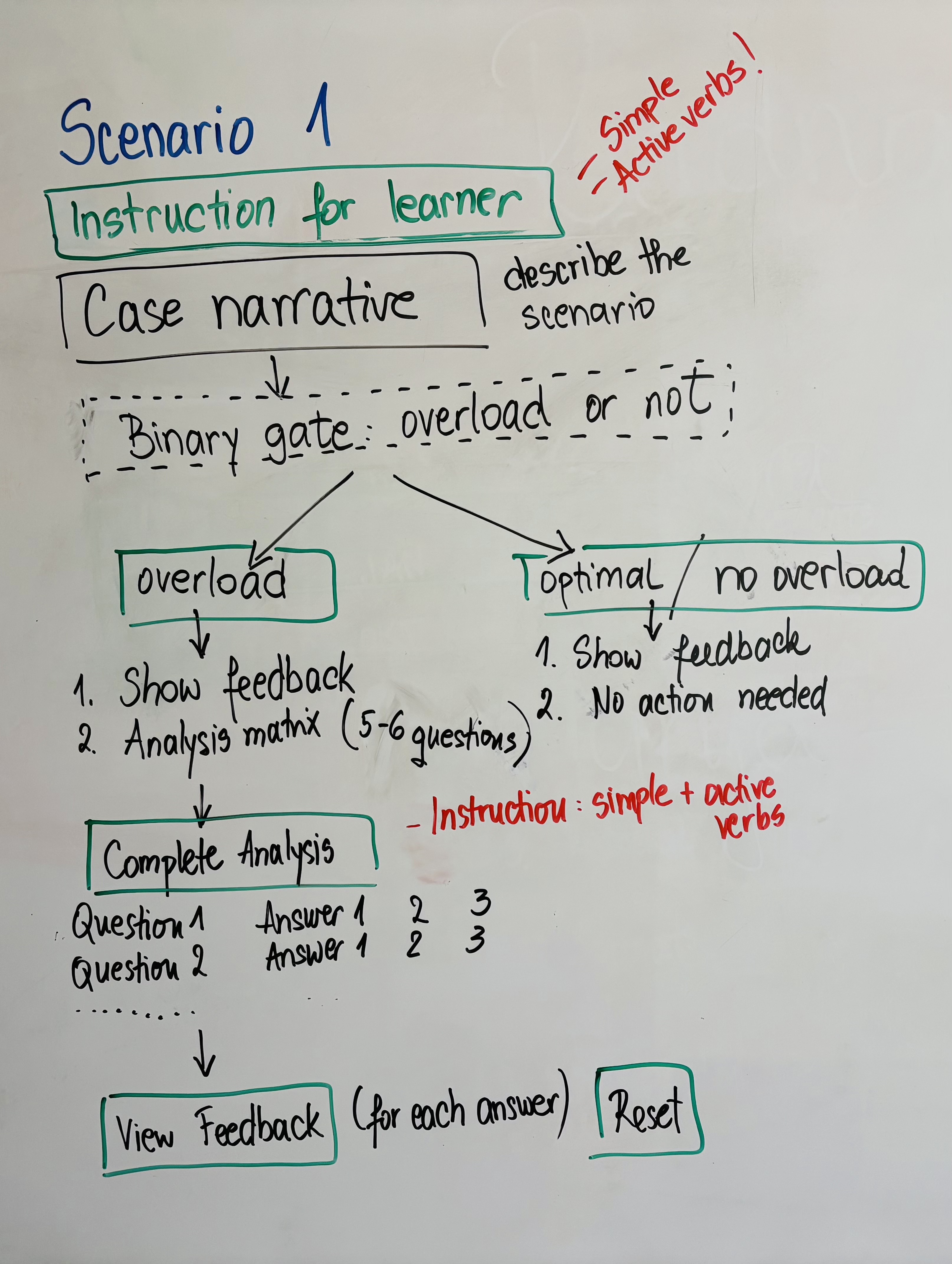
Step 1: Brainstorming on a Whiteboard
Before touching an AI prompt or writing a single line of code, everything starts on an analog whiteboard. It forces me to map the mental model before I even think about the visual design.
I usually run the activity through a bunch of questions:
What decision or action should the learner be practicing here?
Are we aiming for lower-order thinking (remembering terms, understanding rules) or higher-order cognitive work (applying a framework to a scenario, analysing root causes, or evaluating conflicting priorities)?
Do they just need to recognise the right choice from a predefined list (passive recognition), or must they actively retrieve, synthesise, or diagnose an answer without visual hints (active recall)?
What specific type of thinking is required? Are they categorising information, spotting subtle anomalies, or troubleshooting a breakdown?
Instead of generic "Correct/Incorrect," how can the feedback instantly show the consequence of their choice?
I sketch out what the learner sees and how they interact, where the feedback should appear, and if there's anything I shouldn't forget.
Step 2: Vibe Coding
Once the idea is done on the whiteboard, I start translating it. At work, we use Copilot. At home, I prefer Gemini and Claude. The results are somewhat different, the process is the same.
I structure the prompt into several sections to keep the AI focused.
- Role and context (create the persona and what it should create)
- Cognitive mechanics (what the learner sees, decisions they make, feedback, etc)
- Technical constraints
- Branding, accessibility and usability (colour palette, font, etc)
In the first attempt, I get something like this:
Act as a front-end developer and learning experience designer.
Create a single-file HTML interactive activity to copy/paste in Articulate Rise.
Start with a case study box describing novice students struggling with an e-learning module (split tabs, redundant audio, ambient noise). Below it, add buttons asking if cognitive overload is present or not, with a 'Submit decision' and 'Reset' button that shows immediate feedback when clicked.
When the learner correctly submits Part 1, reveal Part 2 below it: a 6-question matrix table to analyse the cognitive load factors (extraneous source, cognitive effect, learner expertise, intervention, bottleneck channel, intrinsic strategy). Include a 'View feedback' button that shows inline explanations under each row and displays the total percentage score.
Make the widget fully responsive: on screens below 860px, automatically convert the desktop table into stacked mobile cards. Use a clean system font stack (system-ui, -apple-system, Segoe UI, Roboto, sans-serif) with strict sizing (18px main heading, 15px bold section titles, 14px body/case text, 13px notes/hints). Inline feedback boxes styled in muted green (#14532d text, #16a34a border, 6% opacity background) for correct responses and muted red (#dc2626 text, border, and 6% opacity background) for incorrect responses.
Step 3: Testing, QA, and the "Non-Coder" Refinement
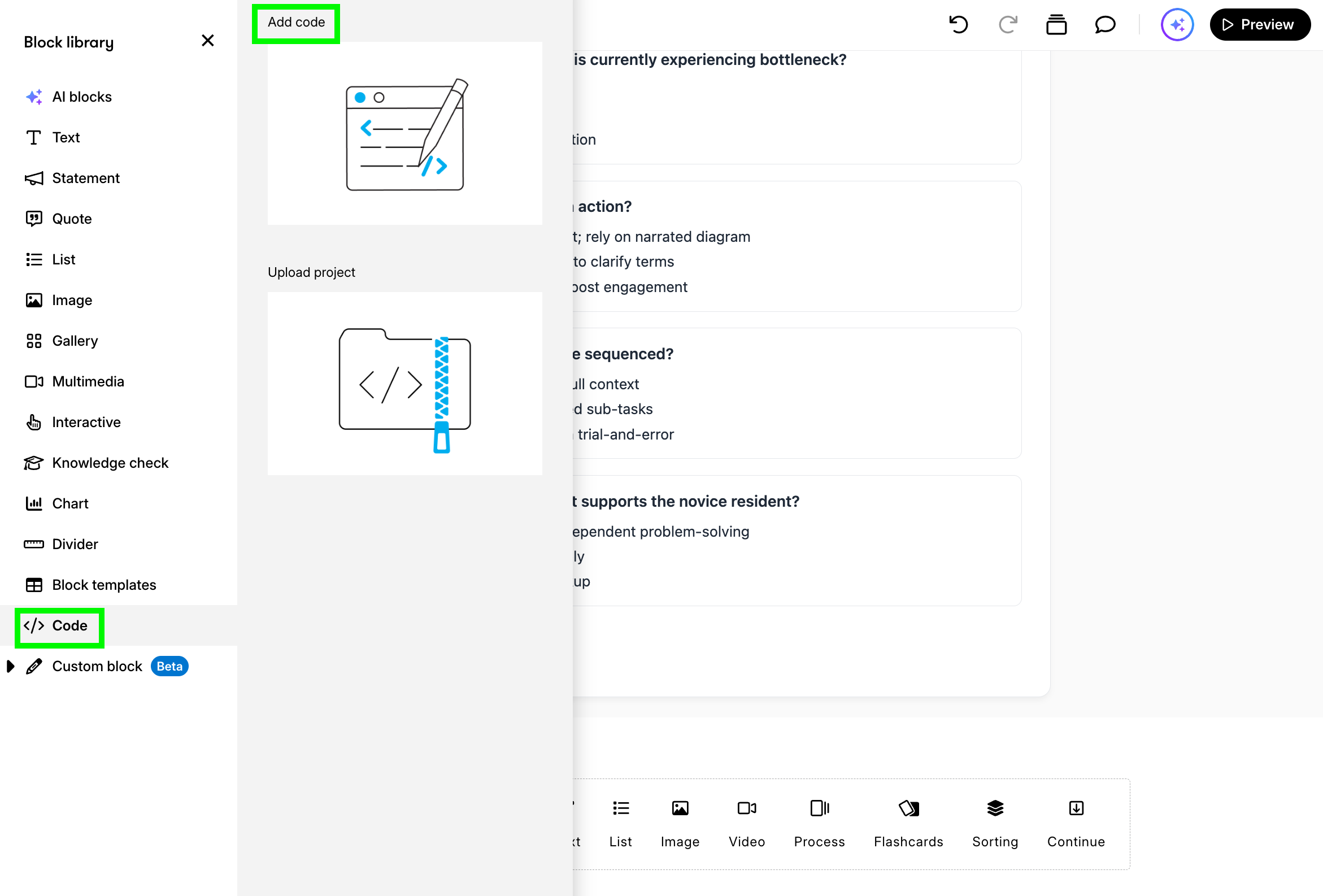
Once the HTML is ready, I have no idea what it says. I copy/paste it in the Code block in Rise and I step through the experience pretending I'm a learner taking the course for the first time and wear the instructional designer hat.
Again, I run the activity through a bunch of questions:
- Does the activity make immediate sense, or am I wasting mental energy trying to figure out how the widget works?
- I intentionally pick wrong answers. Does the feedback actually explain why my thinking was off, or does it just tell me I failed?
- Does unlocking Part 2 feel earned and logically sequenced, or does it dump too much information on the screen at once?
- Does the desktop table collapse cleanly into stacked mobile cards without awkward text wrapping or sideways scrolling?
If something doesn't work the way I want it, I go back to my AI tool describing what needs to be changed. Again, with my 0 coding abilities, I use simple words and ask it to rewrite the code I can copy/paste agin.
Right now, Part 2 unlocks even if I select 'Optimal Cognitive Load' (the wrong answer in Part 1). It should only reveal the matrix table if the learner selects 'Cognitive Overload Present'. If they choose 'Optimal', show an explanatory hint encouraging them to re-read the scenario without opening Part 2. Rewrite the whole code I can copy/paste again.
On mobile viewports, the radio buttons are clustered too tightly, making it hard to tap accurately with a thumb. Add 6px more vertical padding to each option card and ensure the full pill is clickable, not just the tiny circle button. Rewrite the whole code I can copy/paste again.
When I pick the wrong answer for 'Primary extraneous load source,' the feedback currently says 'Incorrect, try again.' That doesn't help the learner. Update the feedback so it explicitly names the correct concept and explains why: explain that split-attention from tab switching forces working memory to hold two visual representations at once. Rewrite the whole code I can copy/paste again.
And I repeat the process again. And again. Until it works the way I imagined. Then I share the activity with my fellow IDs for peer review. If needed, I repeat the process again.
In Conclusion
Vibe coding didn’t turn me into a coder, and that was never the goal. AI simply builds the code. It doesn’t know how people learn. Great learning design still starts with asking the didactical questions, understanding cognitive science, and knowing how schemas actually form.
Following this process, we can design directly for how the brain works and keep pedagogy first, technology second.